Brief for Slack
Capture ideas, write documents, create tickets, and get answers about your product without leaving Slack.
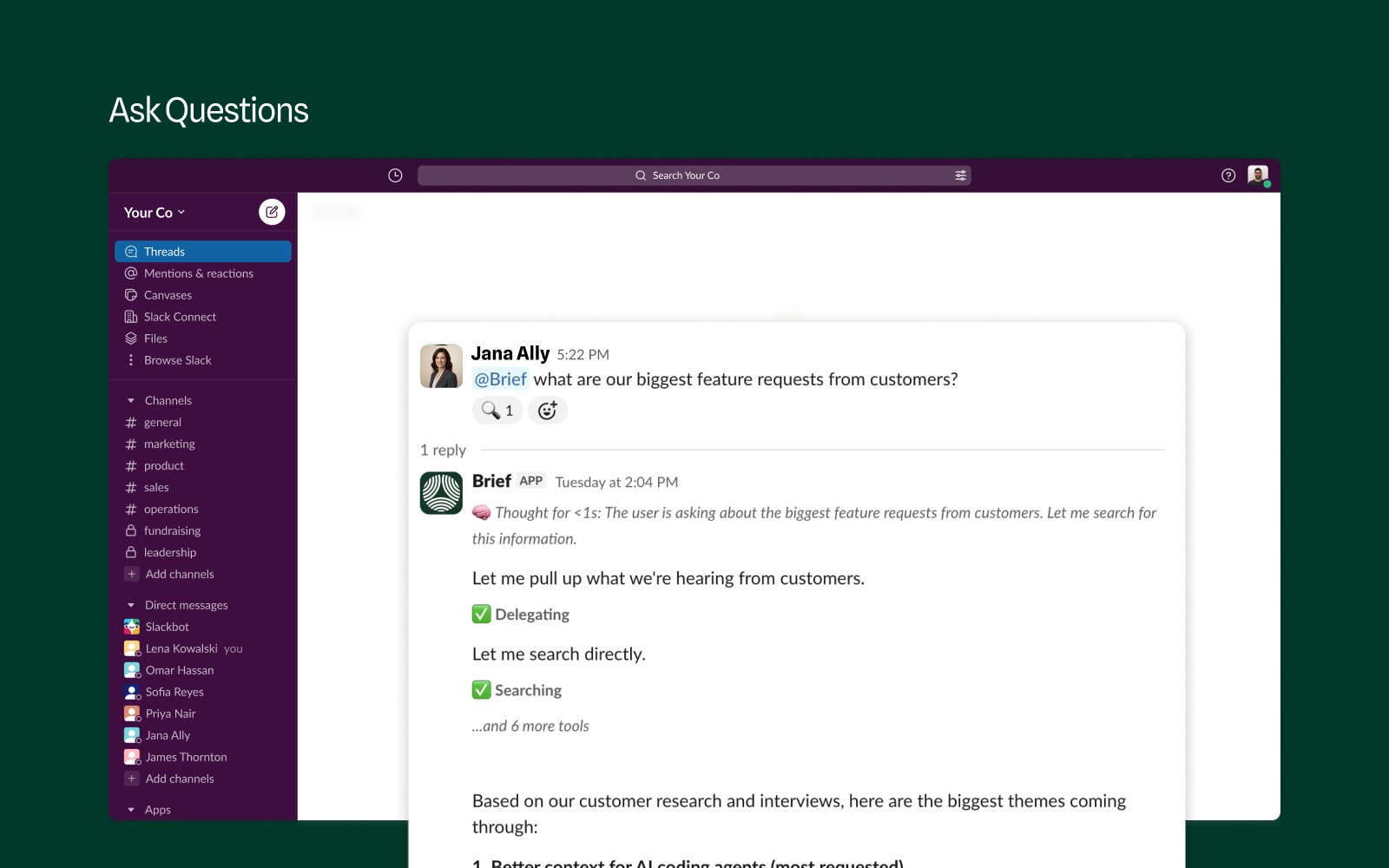
Your product context, where your team talks
Brief keeps a living record of your product: the decisions you've made, the customers you serve, and the strategy behind what you're building. Your team and your coding agents use it to build the right thing.
Most of that context is born in Slack and lost in the scroll. The Brief app puts the same agent that powers the Brief web app in your channels and DMs, so ideas get captured, documents get written, tickets get created, and questions get answered in the conversation where they came up.
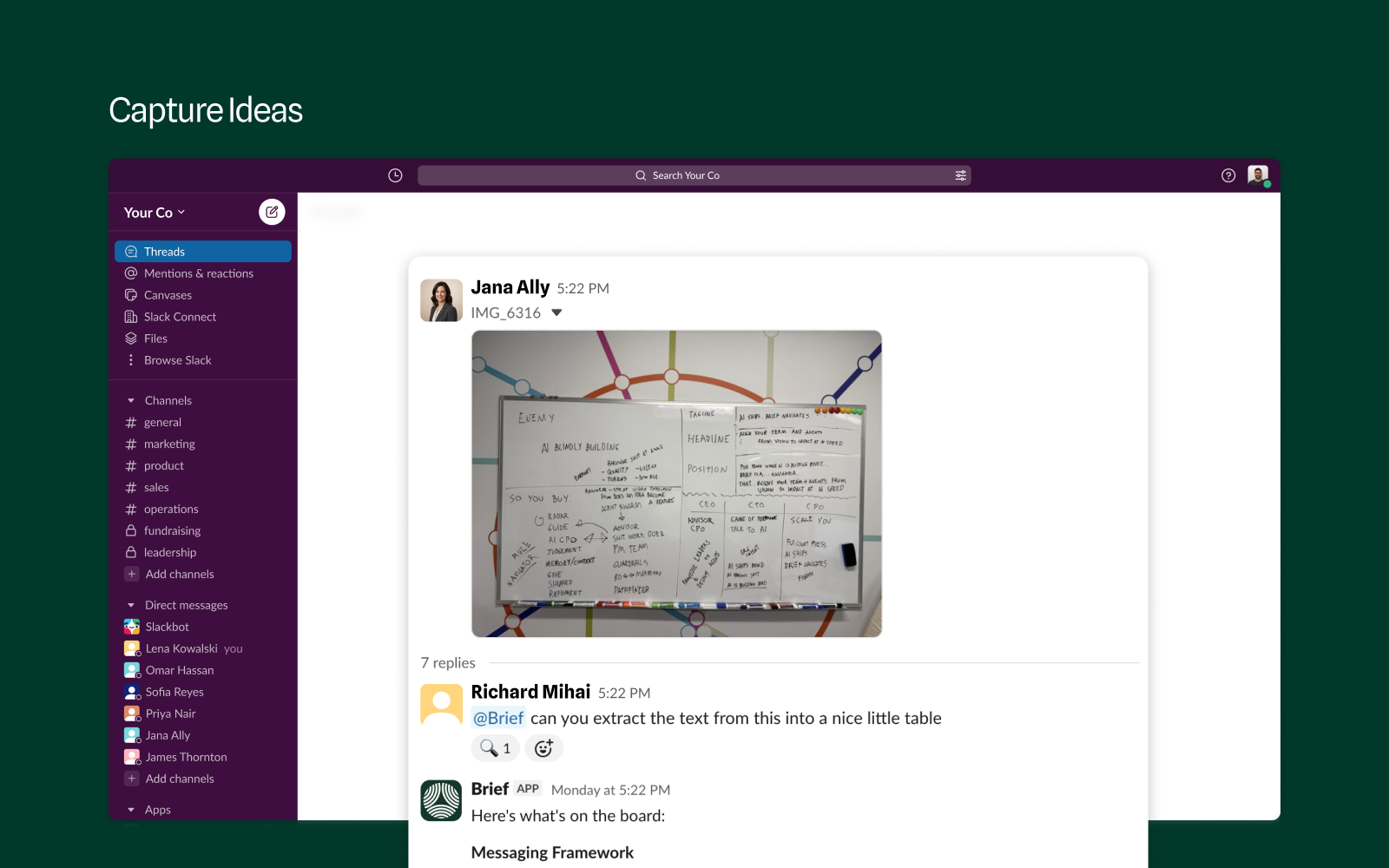
Capture ideas before they fade
Snap the whiteboard and drop it in a channel. Mention @Brief and it pulls the thinking out of the photo, structures it, and saves it to your product context. Voice notes, screenshots, and messy threads work the same way.
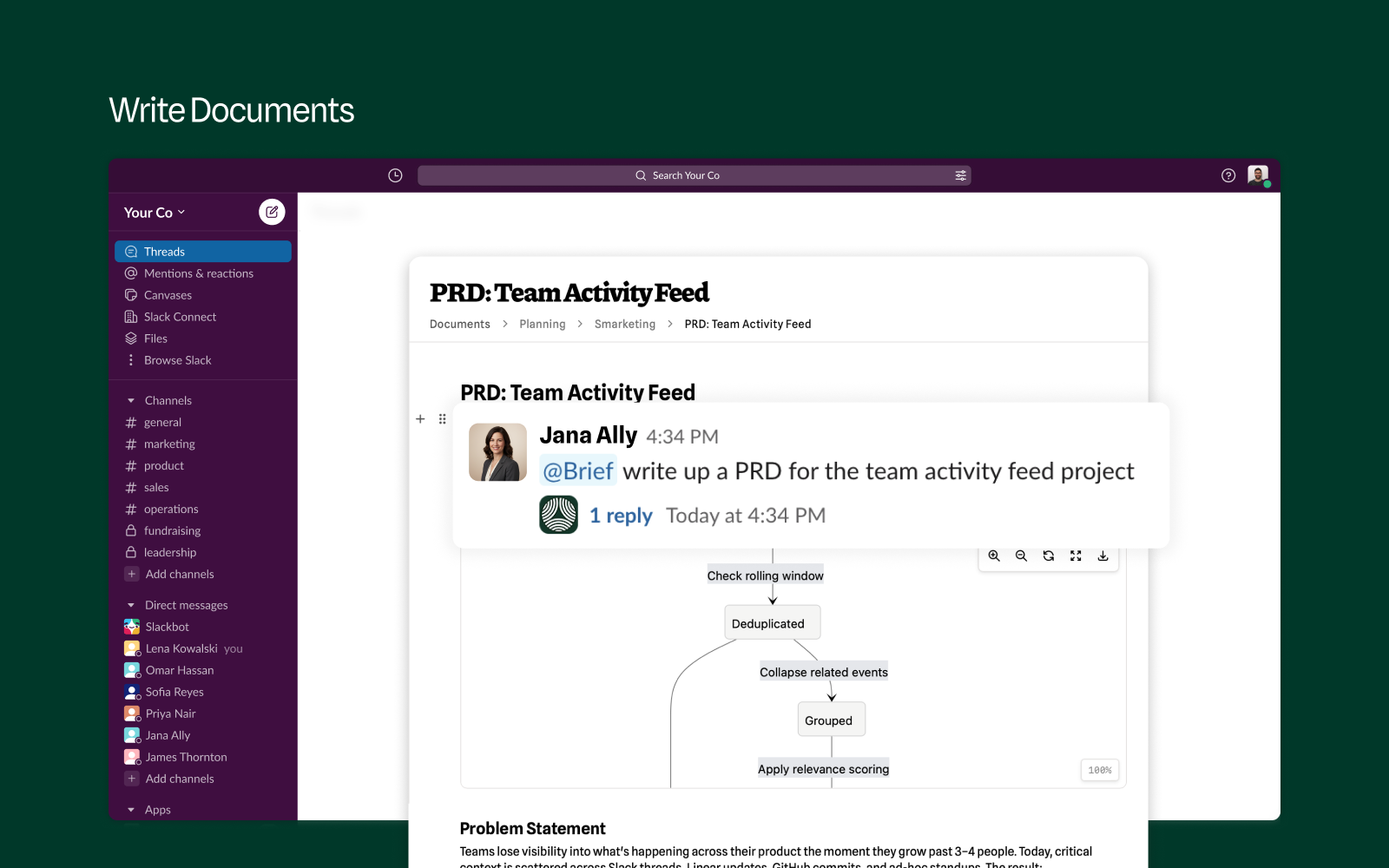
Turn threads into documents
Ask @Brief to write up a PRD and it drafts one from the thread plus everything Brief already knows: your decisions, your customers, your constraints. The finished document lands in Brief, ready for review.
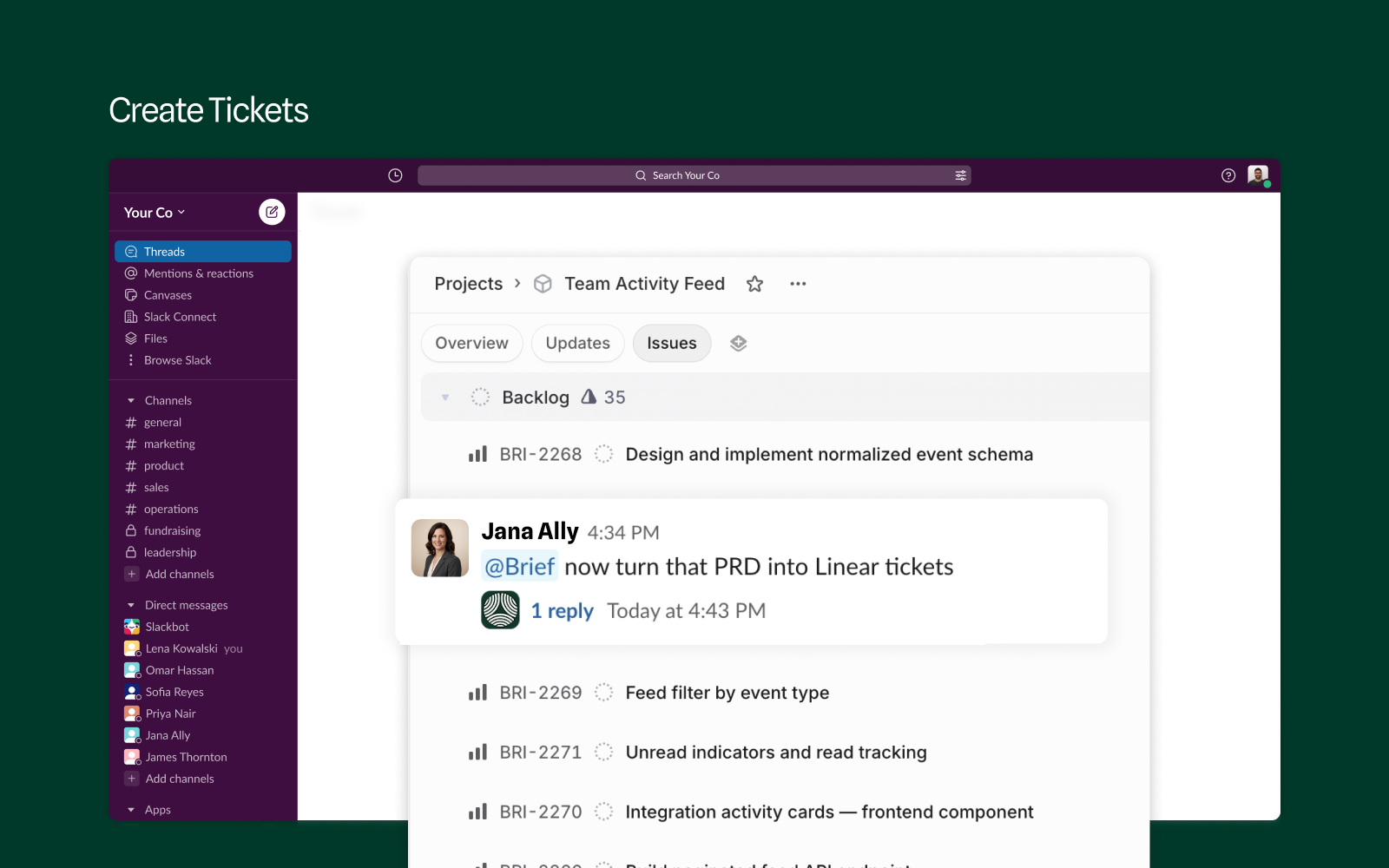
From PRD to tickets in one message
Tell @Brief to turn that PRD into Linear tickets and a scoped backlog appears in your project, each issue traceable back to the document and the decisions behind it. No copy-paste between tools.
Ask anything about your product
What are our biggest feature requests? What did we decide about auth? @Brief searches your connected tools, documents, and decisions, then answers in-thread with its reasoning available on demand.
How Brief works in Slack
@Brief in channels
Mention @Brief in any channel it has joined. It reads the thread for context and replies in-thread, so the whole team sees the answer.
Direct messages
DM the Brief bot anything you'd ask in the web app. Answers stream in as Brief works, backed by your connected tools, documents, and decisions.
/decide and /propose
Log a confirmed decision or open a proposal from any channel. Brief captures the who, when, where, and why automatically, with a preview before anything is saved.
File sharing
Drop images, PDFs, Word docs, spreadsheets, or presentations into a DM and Brief reads them as part of your message. Files up to 20MB are supported.
Brief's responses in Slack are generated by AI and may occasionally be inaccurate or incomplete. Review answers before acting on them, and confirm decision captures before they are saved.
Add Brief to your Slack workspace
Setup takes 1 to 2 minutes. Click the button, or connect from inside Brief.
Add to SlackFrom this page or the Slack Marketplace
- Click Add to Slack, here or on Brief's Marketplace listing.
- Authorize the Brief bot in your workspace.
- No Brief account yet? A short sign-up creates your Brief workspace and links it to Slack.
From Brief
- In Brief, go to Integrations and click Connect on Slack.
- Select your Slack workspace and authorize the Brief bot.
- Choose the channels Brief learns from and the channels to invite it to.
After you install
As soon as you authorize, Brief confirms the install with a guided setup page: pick the channels Brief learns from and the channels to invite it to. Then the Brief bot sends you a welcome DM with your first steps. From there:
- DM the Brief bot a question, anything you'd ask in the web app.
- Mention @Brief in a channel it has joined to get answers in-thread. To add it to a channel, type
/invite @Brief. - Log your first decision with
/decide, right where the conversation happened.
For channel selection, slash commands, and troubleshooting, see the full Slack setup guide.
Permissions and privacy
Brief reads messages in channels it has been invited to and your direct messages with the Brief bot. That's what powers thread context and conversation continuity. Brief does not read:
- Private channels, unless you explicitly invite the bot
- Group DMs
- Your DMs with other people
The full permission list is in the Slack integration docs.
Pricing and support
The Slack app is included in every Brief plan. Stuck on setup or hit something unexpected? We'll get you unblocked.
Frequently Asked Questions
Do my teammates need Brief accounts to use the Slack app?
Anyone in your workspace can ask @Brief questions in channels the bot has joined and get read-only answers. Logging decisions and other write actions require a Brief account. Brief matches Slack users to Brief accounts by email.
Can Brief read my private channels or DMs?
No. Brief reads messages only in channels it has been invited to, plus your direct messages with the Brief bot. It never reads private channels you haven't invited it to, group DMs, or your DMs with other people.
What files can I share with Brief in Slack?
Drop images, PDFs, Word documents, spreadsheets, presentations, text, CSV, or Markdown files into a DM with the Brief bot and it reads them as part of your message. Files up to 20MB are supported.
Why isn't @Brief responding in a channel?
The Brief bot only works in channels it has joined. Type /invite @Brief in the channel, then mention it again.
How accurate are Brief's answers?
Brief's responses are generated by AI and may occasionally be inaccurate or incomplete. Every response shows its reasoning on demand and has feedback and regenerate buttons. Review answers before acting on them, and confirm decision captures before they are saved.
Bring your product context into Slack
Every decision captured. Every question answered. Right where your team already works.